
AWS MARKETPLACE

Our Amazon Machine Images (AMIs) are available from the AWS Marketplace and provide a complete package to launch different HPC apps on AWS EC2. 

GUI for Numerical Predictions in the public cloud (Graviton4)

GUI for Numerical Predictions in the public cloud (Graviton4) allows model users to manage different aspects of Numerical Weather Prediction (NWP), Air Quality Modeling (AQM) and coupled (NWP-AQM) simulations using a graphical environment. The AMI integrates optimized installations of the latest versions of CMAQ (v5.5), WRF (v4.7), and WRF-CMAQ along with pre & postprocessing tools mapped via a Geographic Information System (GIS). The integration of all these tools takes full advantage of the computational power offered by Graviton4 processors resulting in lower wall times and an outstanding cost/performance ratio. The GUI also allows model users to interact directly with other AWS services such as S3 and to download data for meteorological and air quality predictions in an accelerated fashion. The minimum memory for an instance sppining up from the AMI is 8 GiB but a more compehensive recommendation is to use instances with at least 32 GiB or higher for production jobs. As the GUI is developed to take advantage of high image quality displays and provides a breadth of options and information, the lowest recommended screen resolution is QHD (2560×1440) with UWQHD (3440×1440) or higher resulting in optimal performance. Note: Odycloud is currently working to increase the GUI functionality when using FHD displays.
GUI components:
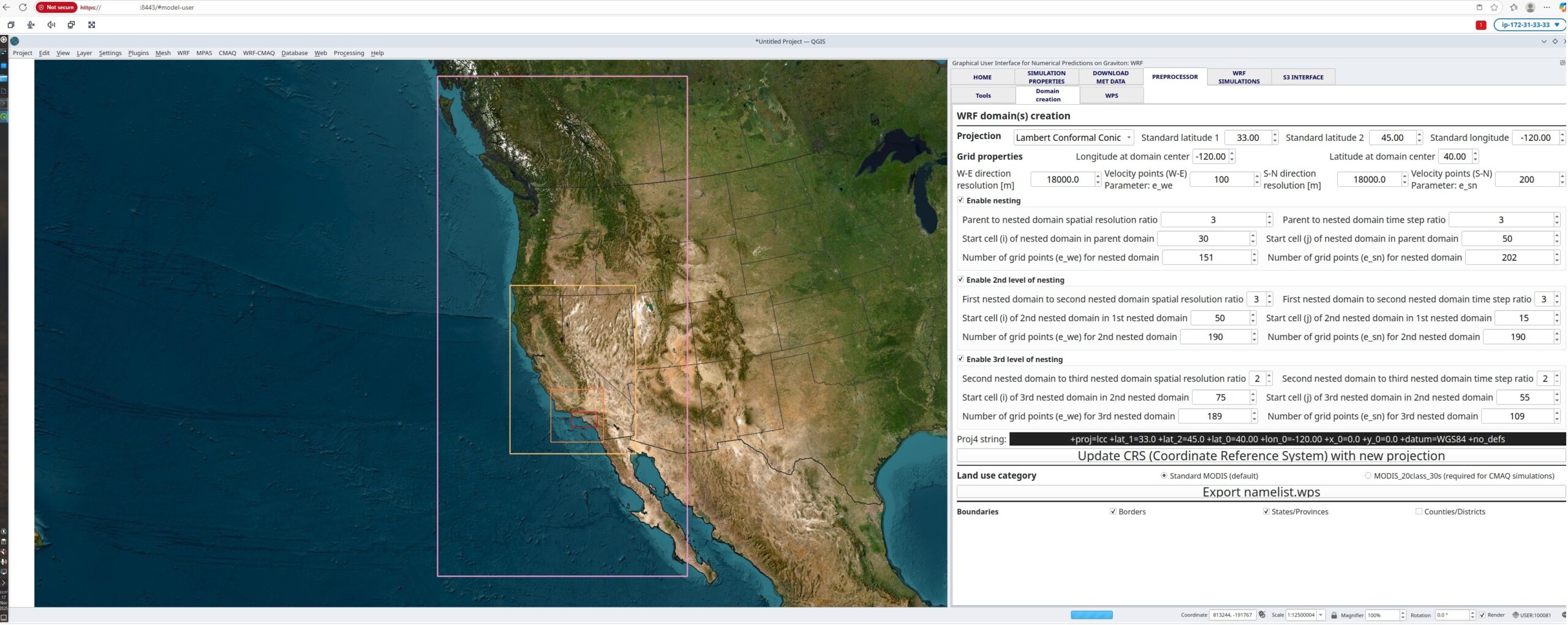
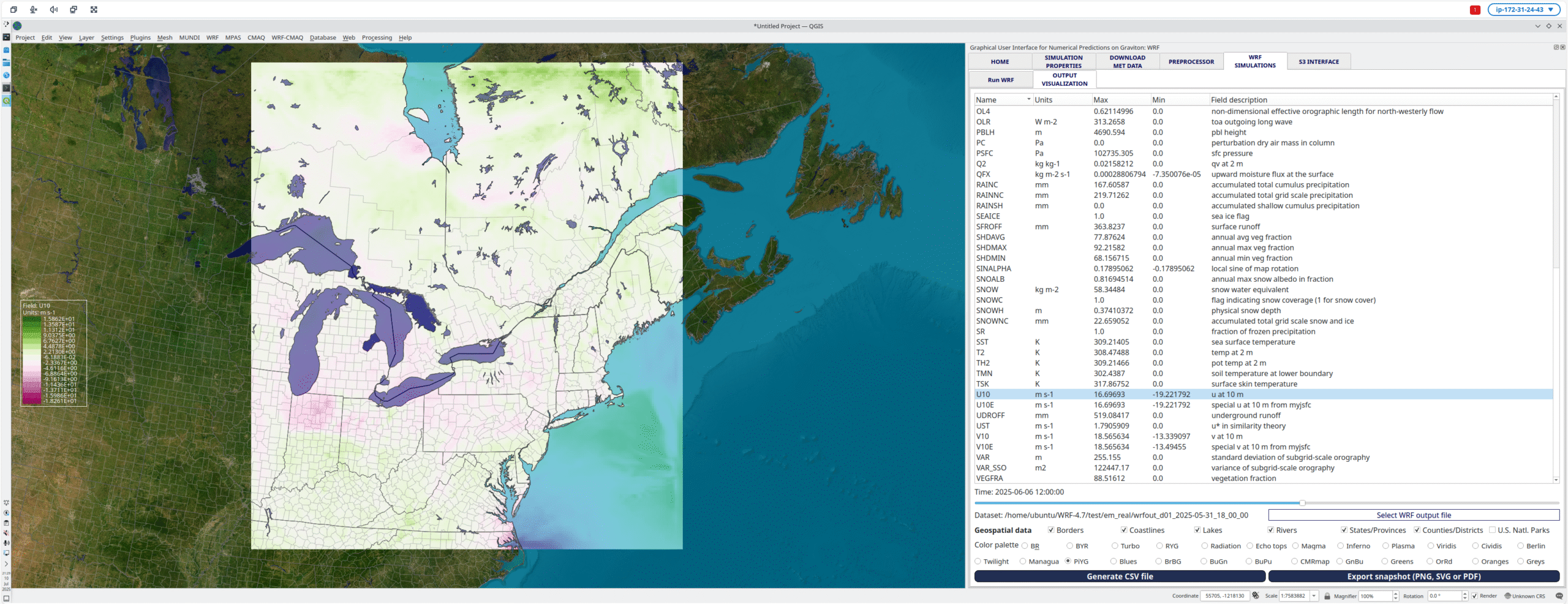
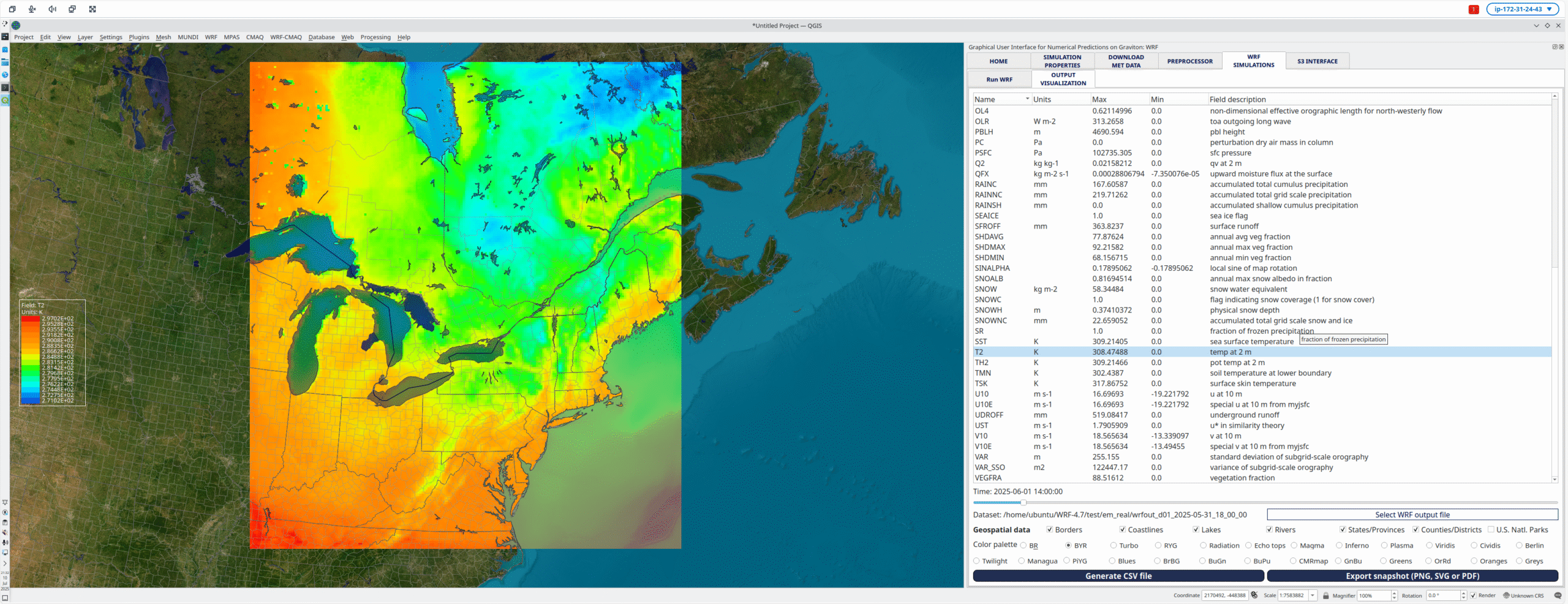
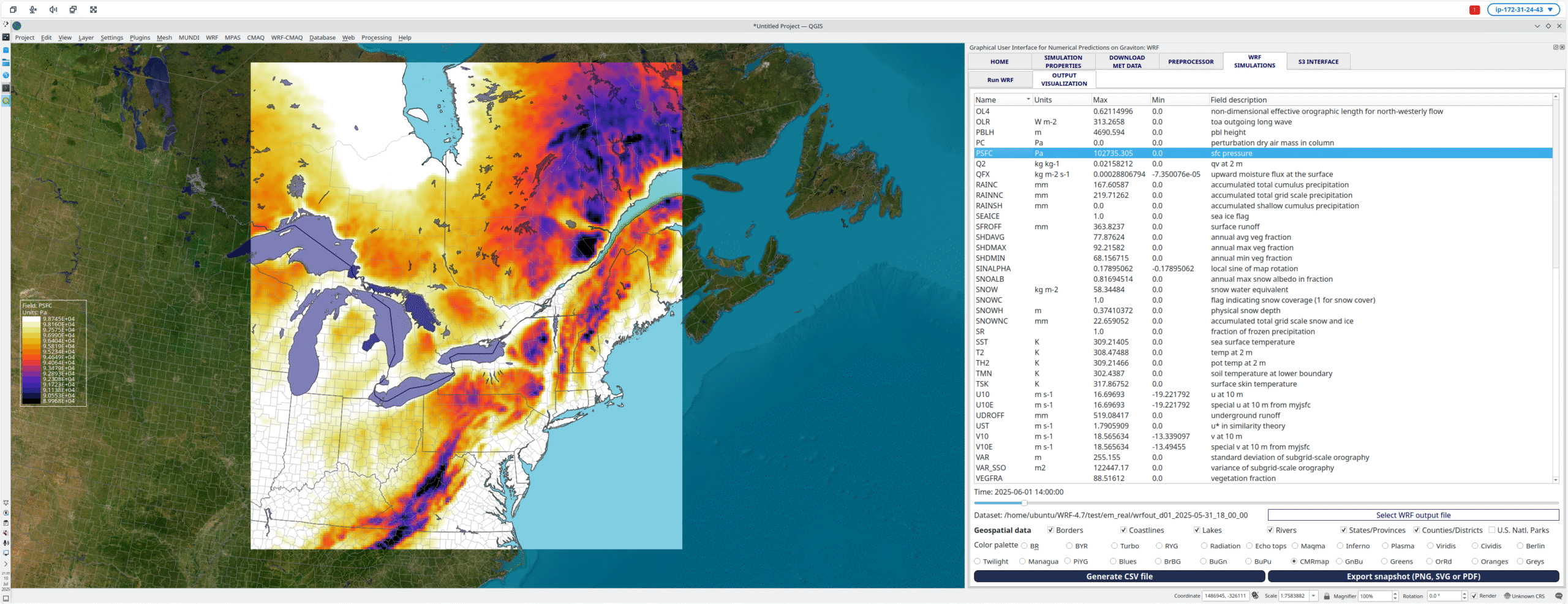
WRF – The GUI allows model users to set up the simulation parameters, visualize the domain(s) in the chosen projection, download meteorological data (GFS, NAM, GDAS) and run the preprocessors (WPS). After it, the GUI can generate the initial and boundary condition files before running WRF using the instance available cores. Once the WRF simulation is complete, the postprocessing tools render the results using a GIS framework and interpolate & output the results as CSV files for an unlimted number of locations within the domain(s). Additionally, it is also feasible to directly transfer any of the generated files to S3 buckets.
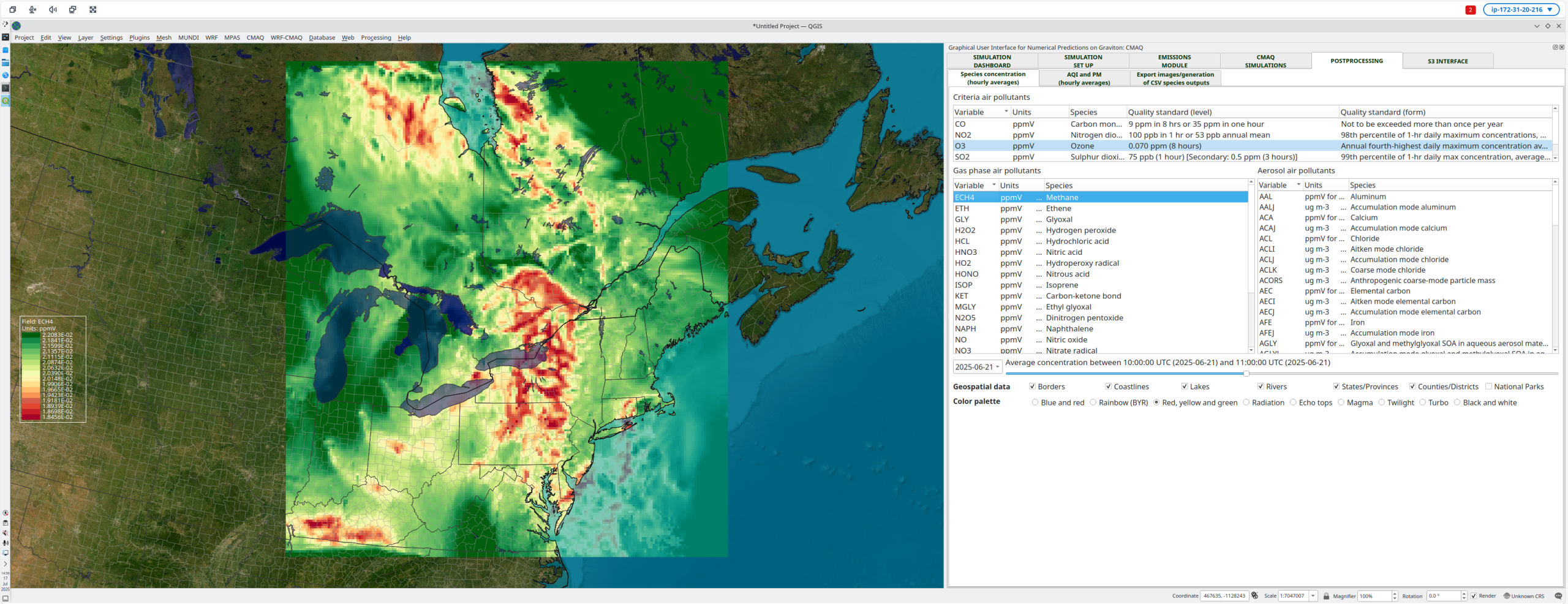
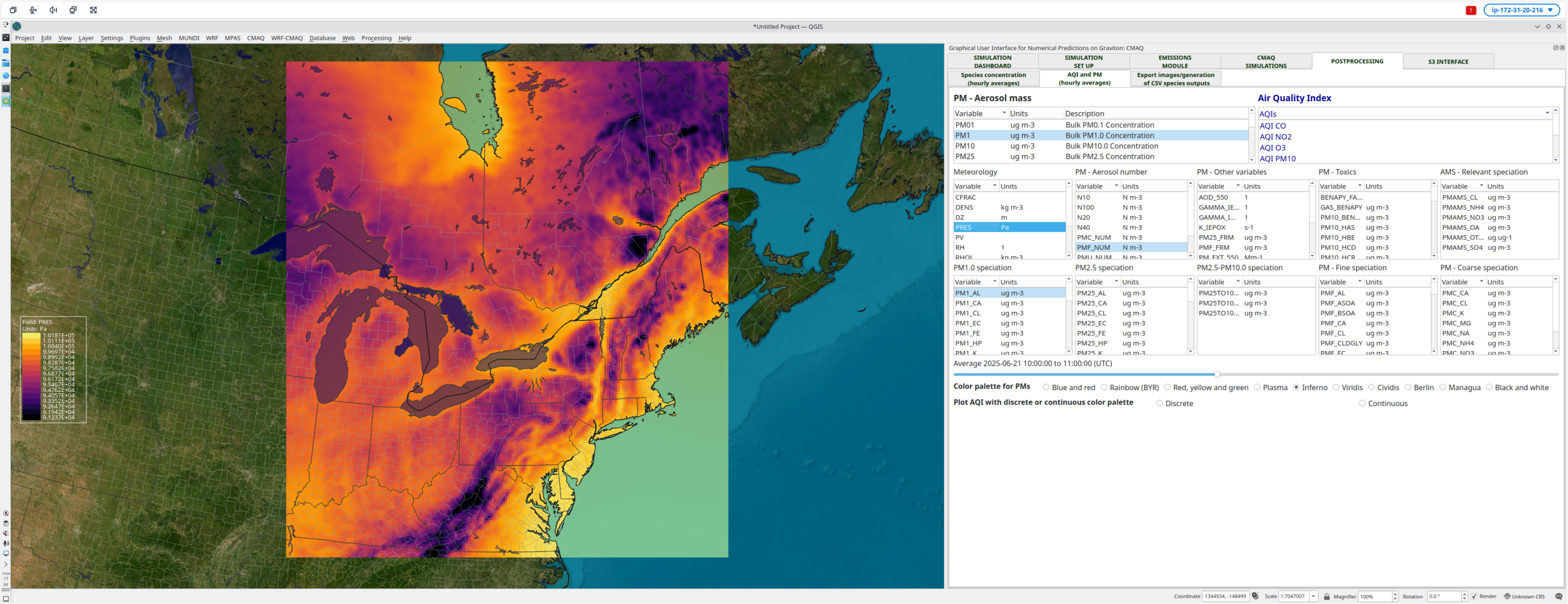
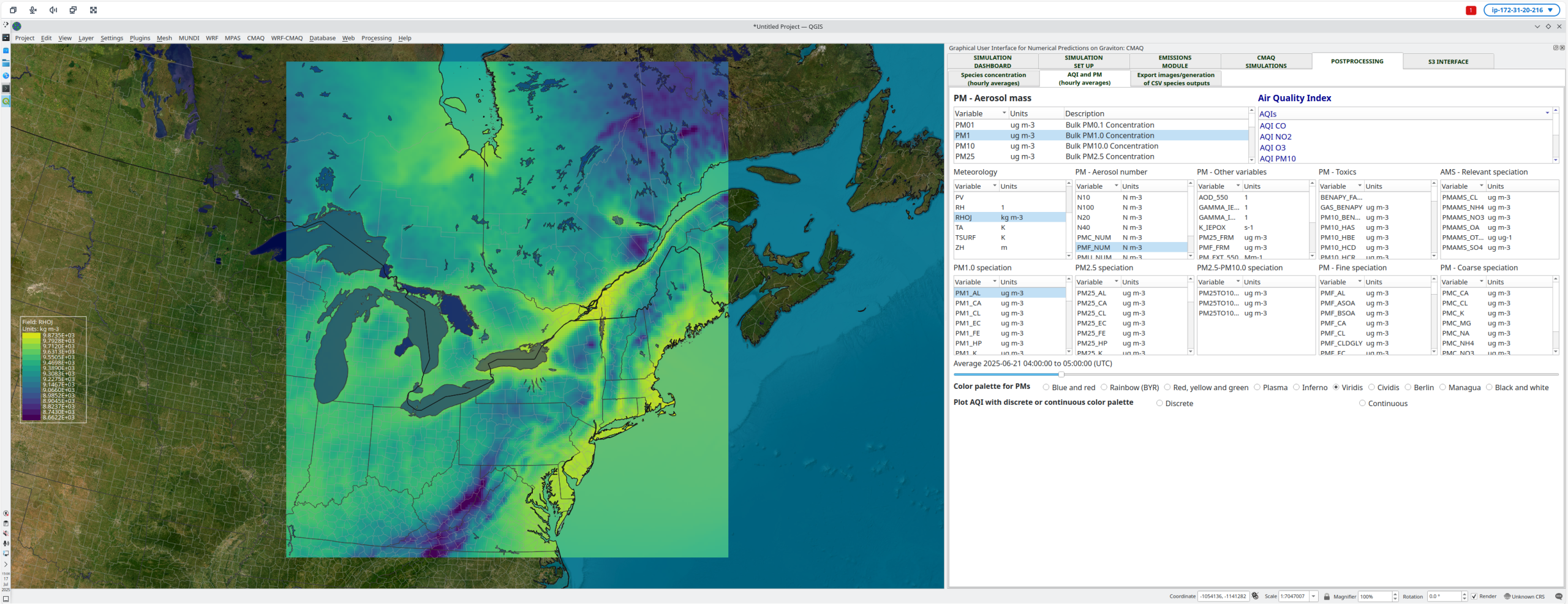
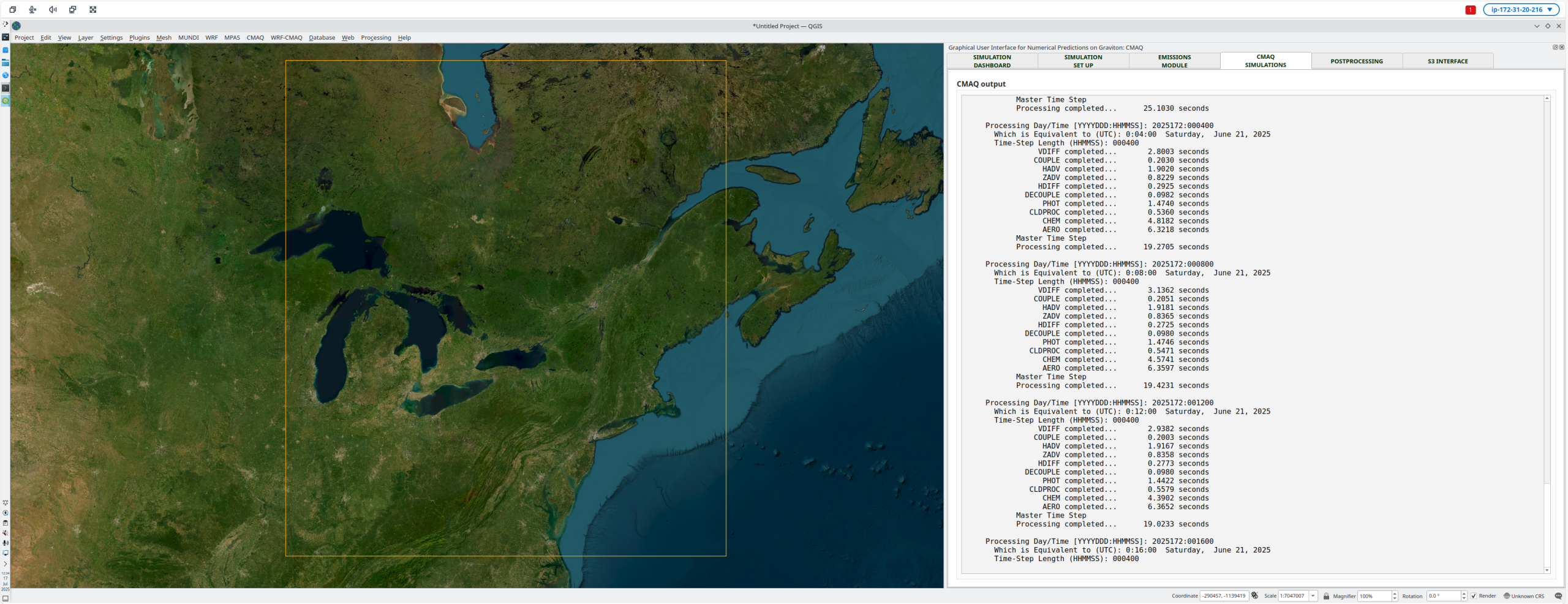
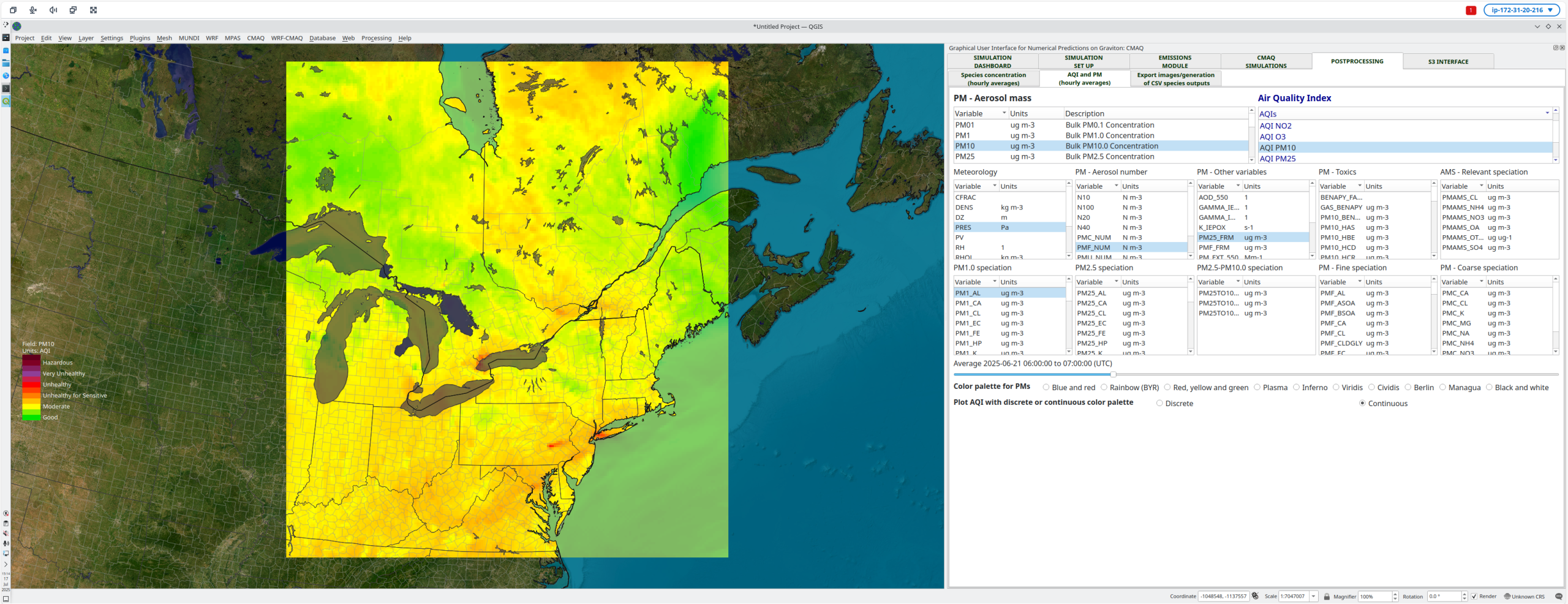
CMAQ – The GUI allows model users to set up and run CMAQ computations based on the output from WRF simulations, which have been previously completed either via the GUI or other HW/SW combination. The GUI automatically picks up the WRF output, facilitates the selections of parameters (e.g. BTRIM), and sets up CMAQ. The latest version of the GUI admits to run the simulations either using CB5R7 or CRACMM2 as the mechanism. Furthermore, the GUI includes options to automatically time-shift or convert files from CB5R7 to CRACMM2 plus it accelerates the download of monthly NHEMIS datasets, which can be used for regridding purposes. The GUI also eases up the use of the common standard preprocessing tools such as MCIP, ICON or BCON and will run the CMAQ simulation using all available cores. The postprocessing tools allow the visualization of gases, aerosols, and AQIs. It also allows exporting hourly species concentration as CSV files or snapshots (PNG, SVG and PDF formats are available).
WRF-CMAQ – This option allows model users to perform coupled simulations with the option to incorporate aerosol feedback into the NWP simulations in order to gain a more accurate computation of the physical phenomena involved in the system. The set up of these simulations is a combination of WRF, CMAQ, and the parameters dictating the interaction between the solvers. The postprocessing tools help model users to visualize the WRF and CMAQ variables.
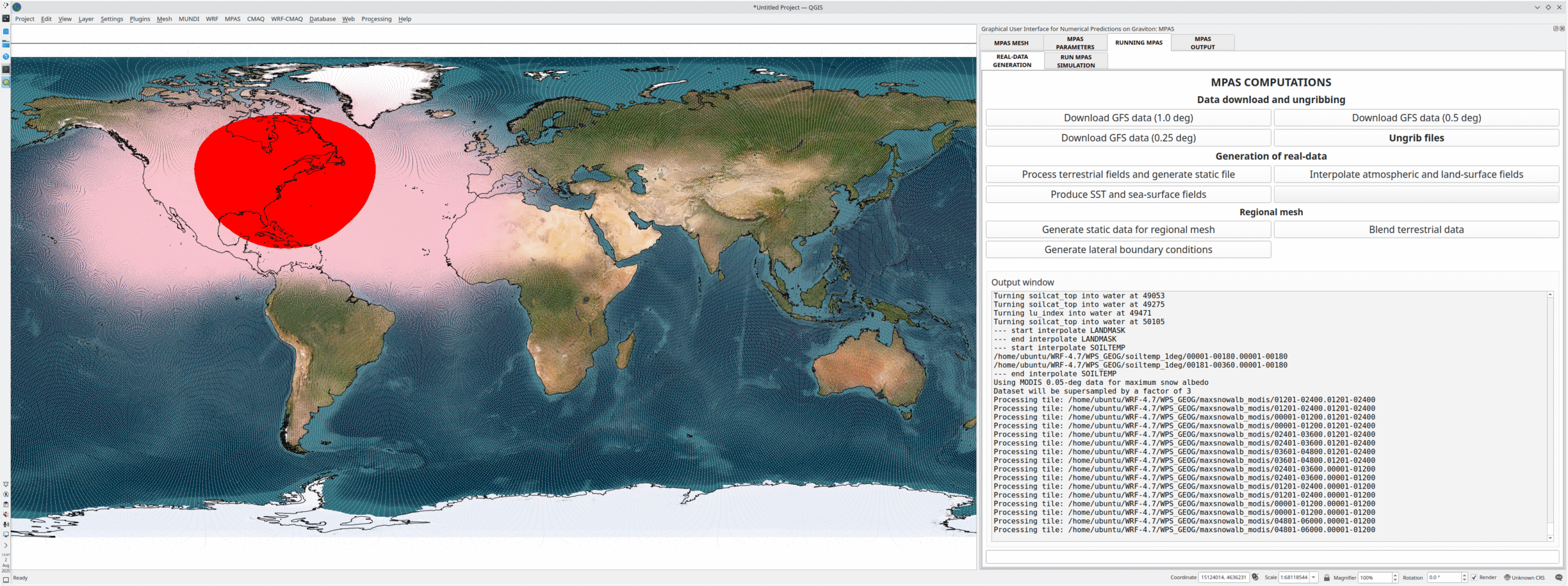
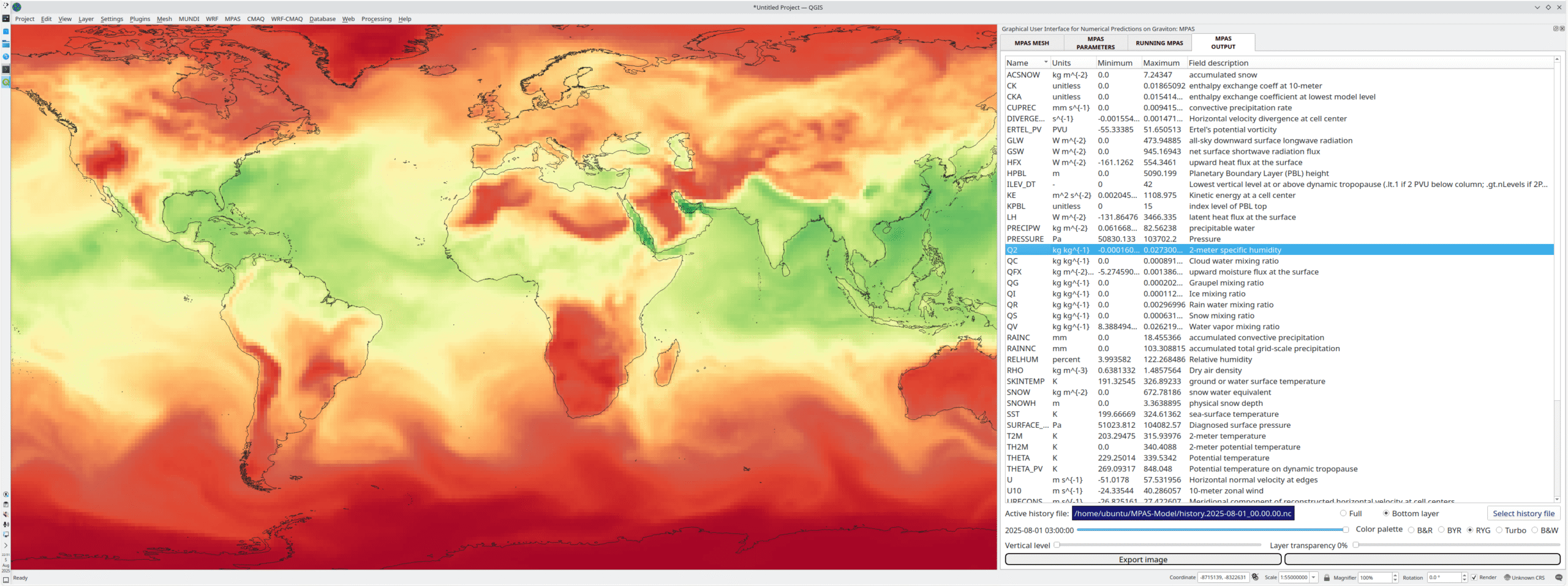
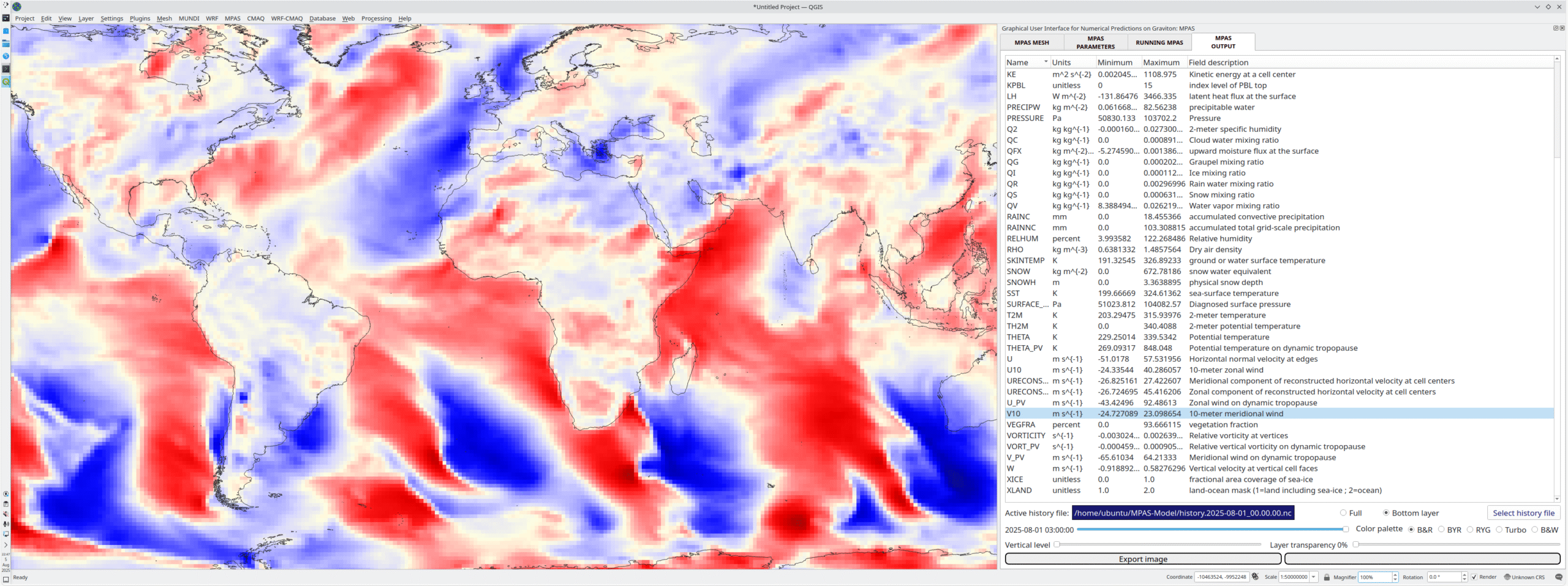
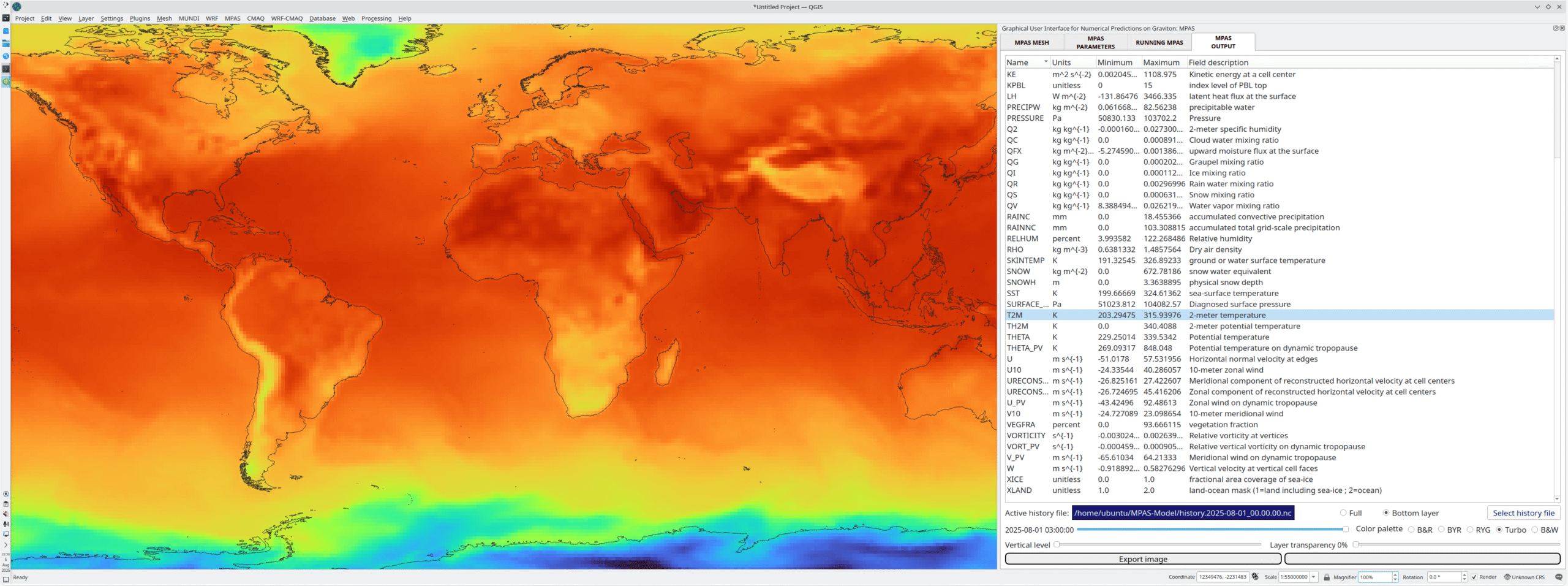
MPAS – The GUI now includes a new interface to perform global and regional meteorological predictions using MPAS. This new interface allows model users to complete all necessary steps from repositioning mesh refinements or creating regional meshes to the initialization of all required files and the completion of the computations. A world map aids achieving a more accurate positioning of refined and regional meshes and the visualization of the simulation output once this completes. Generation of snapshots in several formats (PNG, SVG, PDF) is also feasible and several enhancements to the postprocessing unit will be available in upcoming versions.

(4-step) Quick Start Guide

Step 1 – Spin up the instance from the AMI

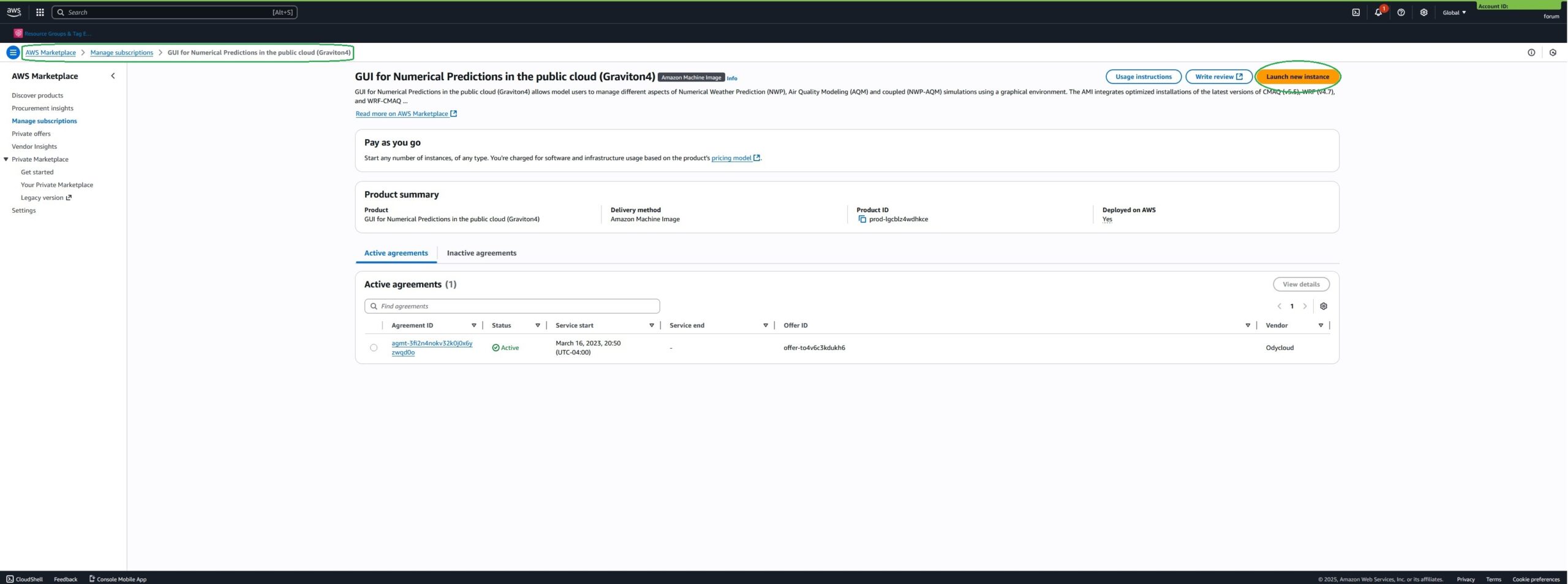
Once your subscription is active, go to AWS Marketplace -> Manage subscriptions and select the GUI AMI. Then, launch the instance of your choice in a similar fashion to any other Linux instance. Note: You will want to copy the public IPv4 address.

Step 2 – Open a session

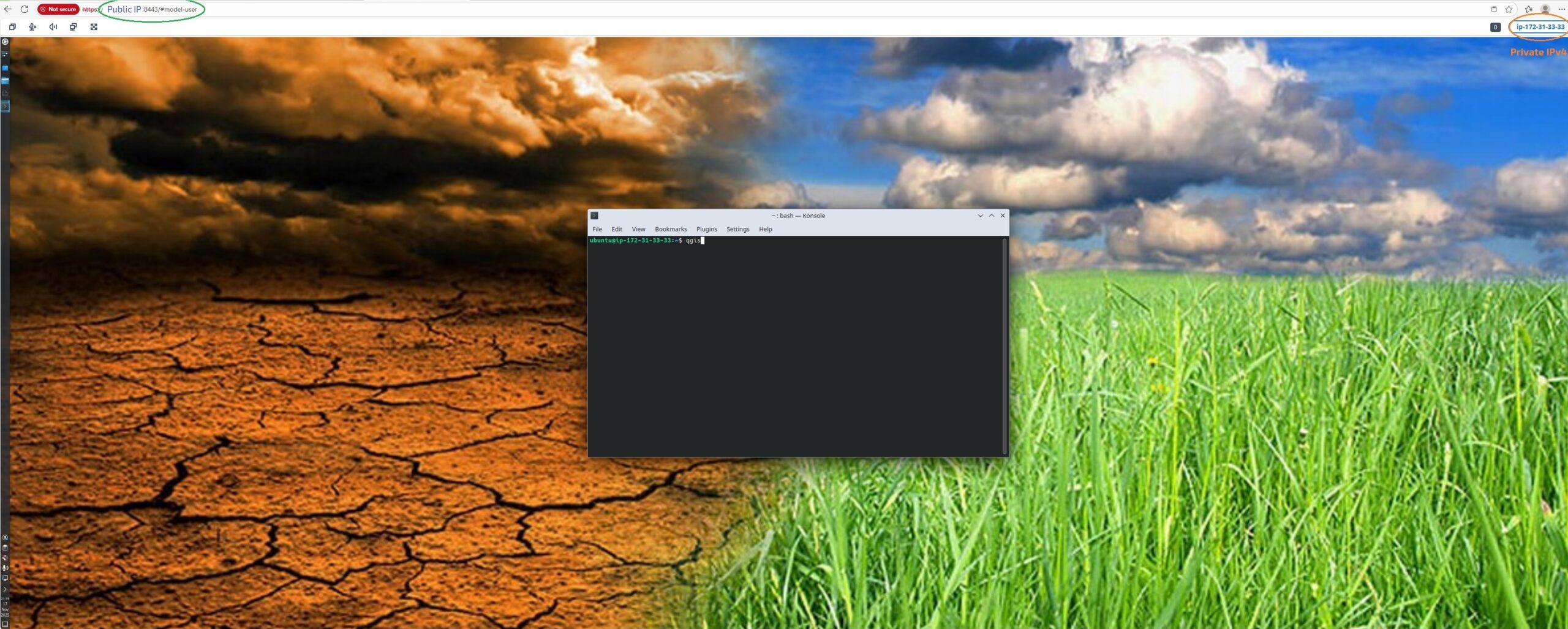
From your favorite browser, open a new session as:

https://Public_IPv4:8443/#model-user

Note: The instance should have launched with the required inbound rules for port 8443. 


Step 3 – Open QGIS

From the graphical interface menu, open konsole (or any other console app) and run qgis.

Step 4 – Open the app

The available apps will show at the top bar. Click on any of them to begin working on your simulations.

The AMI is available from https://aws.amazon.com/marketplace/ across most AWS regions (e.g. https://aws.amazon.com/marketplace/pp/prodview-fcy4llnqba5gk for U.S. customers).

Numerical Weather Prediction and Air Quality Modeling Integrated AMIs

NWP & Air Quality Modeling on Graviton4 with Odycloud support

Numerical Weather Prediction & Air Quality Modeling on Graviton4 with Odycloud provides a complete package to launch and manage WRF and CMAQ on AWS Graviton4. WRF is a mesoscopic model used by thousands of users worldwide, and able to generate forecasts for a wide range of atmospheric conditions and resolutions. These forecasts serve for operational functions and research purposes. CMAQ represents state-of-the-art air quality modeling able to forecast concentration of air pollutants such as ozone, particulate matters and other toxics.

  • Implementation of WRF v4.6 and WPS optimized for AWS Graviton4 instances and clusters providing an optimal balance between cost and performance
  • Implementation of CMAQ v5.5 optimized for AWS Graviton4 instances and clusters
  • Excellent scalability for clusters with Elastic Fabric Adapter (EFA)
  • Availability of NICE-DCV connection for high-performance remote display

User Guide v6.0.0 – (UG_NWP&AQM_on_AWS_v6_0_0)